Windows Only
The current public demo is Windows only. macOS and Linux builds are not included in this package.
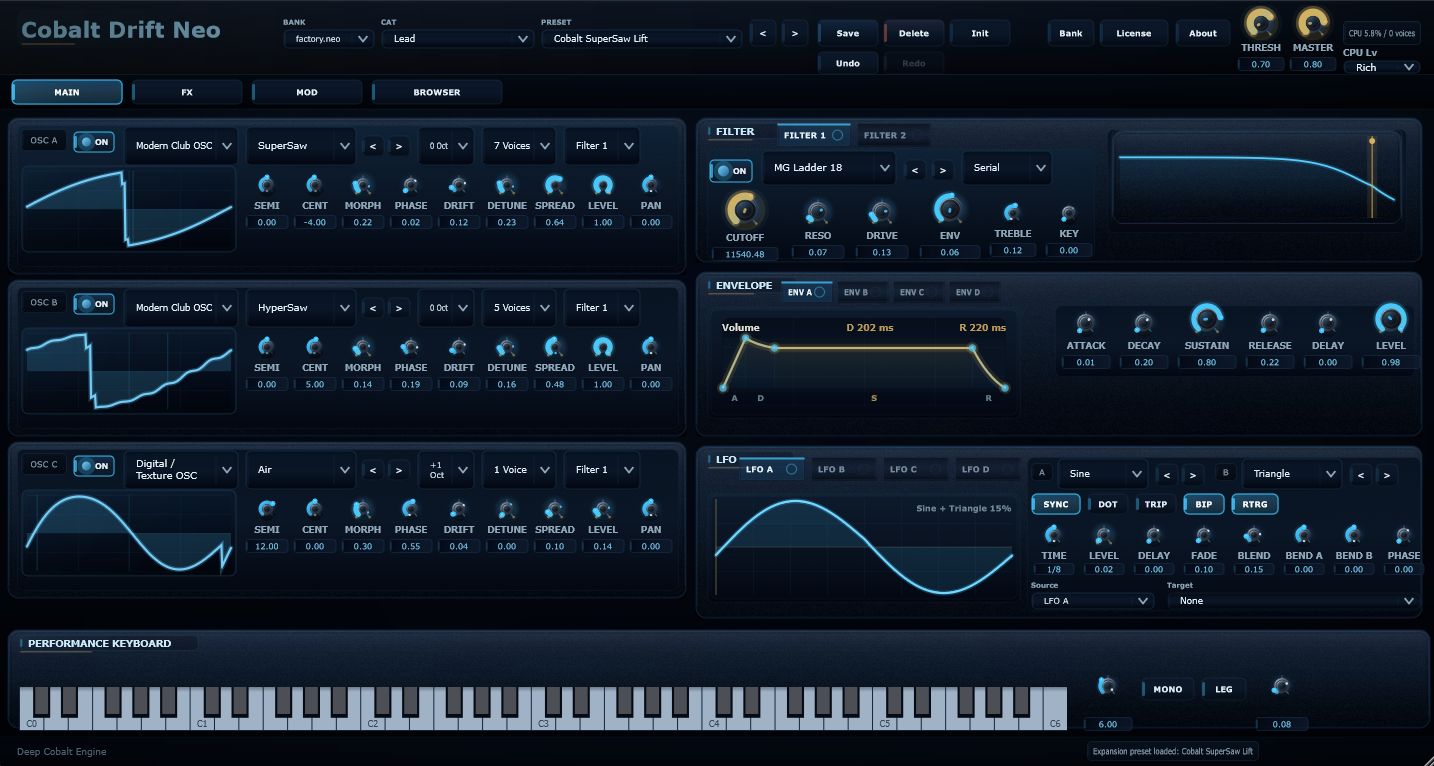
Version 1.3.3 Demo / Windows
A dark-blue, one-layer virtual analog synthesizer designed for Progressive Trance, Melodic House, Deep Progressive, and Modern Trance. Version 1.3.3 is focused on stability, CPU efficiency, and practical production use.
Demo & Manual
The package includes the Windows demo and a ZIP archive containing the PDF manuals. It also includes normal and CPU-light Lite expansion banks. Use VST3 or CLAP inside a DAW, or launch the Standalone version when you want to audition the instrument quickly.
System Requirements / Demo Notes
The current public demo is Windows only. macOS and Linux builds are not included in this package.
Standalone, VST3, and CLAP formats are included. Use VST3 or CLAP inside a DAW, or Standalone for quick auditioning.
The demo is an evaluation build for the v1.3.3 sound engine, GUI, Browser, Expansion import workflow, and Lite Bank behavior. Audio output stops after about 30 minutes and a Demo Time Limit Reached notice is shown.
Preset Save, Bank Import, and .neo Expansion import, including drag-and-drop registration, are available. Expansion Export, Delete, and Rename are disabled. DEMO is shown near the product logo.
Windows 11 is recommended. In heavier sessions, choose Lite Banks or Lite Filters to reduce CPU load while keeping the sound practical.
Sound Direction
Cobalt Drift Neo is designed for wide saw leads, short trance plucks, warm rolling basses, breakdown pads, and atmospheric textures. Its hybrid oscillator design adds wavetable-like harmonic density while keeping classic waveforms easy to shape. Characterful filters and a production-focused FX rack help avoid harsh highs and uncontrolled lows while letting delay and reverb bloom naturally.
Interface
Core Features
Saw, Square, Pulse, Digital Texture, Noise, and hybrid wavetable-style oscillator behavior create the core of leads, plucks, basses, and pads. It keeps classic waveforms immediate while adding richer harmonic density.
Serial / Parallel routing, Rich / Lite filter choices, and Ladder, Diode, MS20, Sallen, and TPT-style characters give you smooth sweeps, biting resonance, darker motion, and CPU-conscious filtering.
Shape volume, filter movement, pitch motion, and FX modulation from the main workflow without getting lost in a multi-layer architecture.
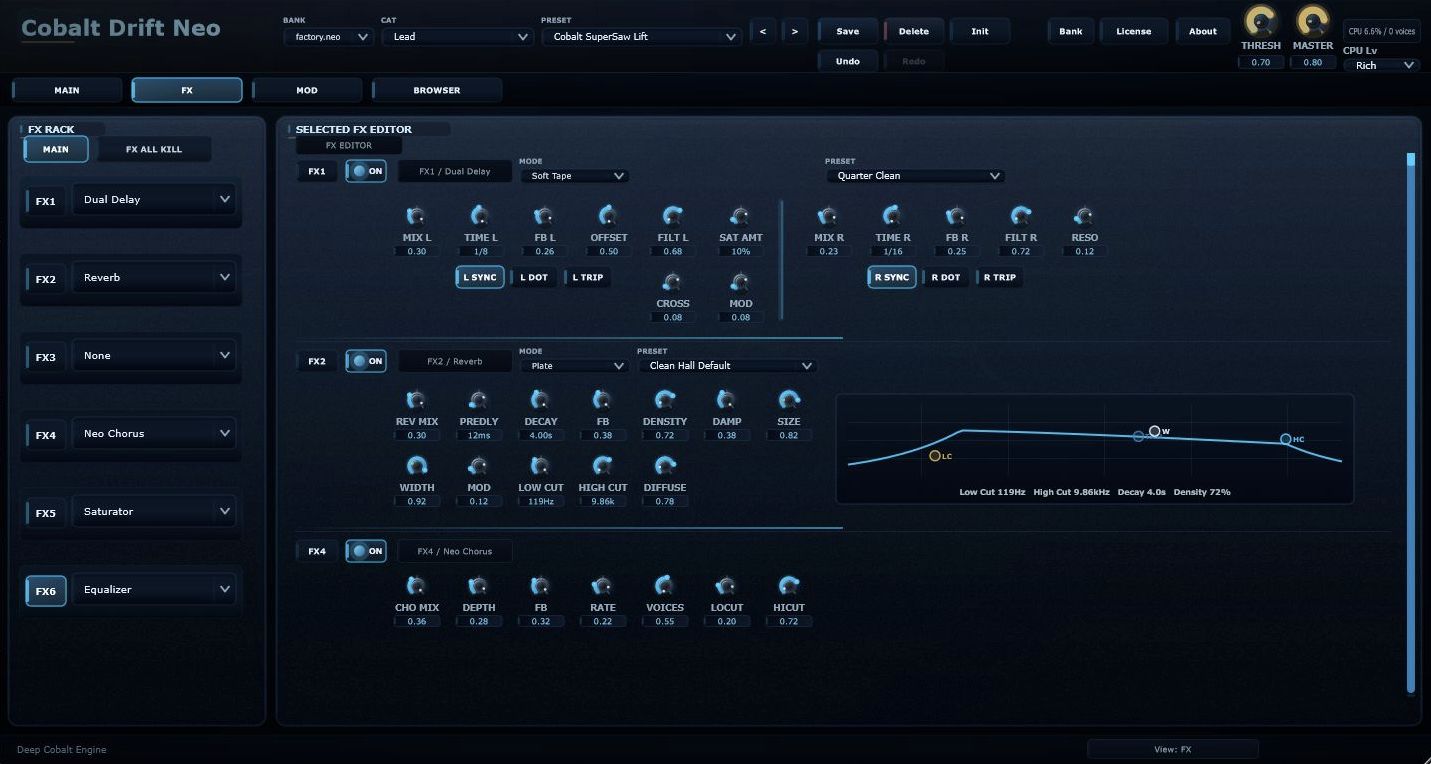
Delay, Reverb, Chorus, Saturator, Distortion, and EQ help finish a preset inside the instrument. Warm delay, spacious reverb, and saturation density become part of the sound design rather than an afterthought.
OSC, Filter, Envelope, LFO, FX, Mod Matrix, and Browser are concentrated into one practical layer. You can choose a sound quickly, then go deep only where the track needs it.
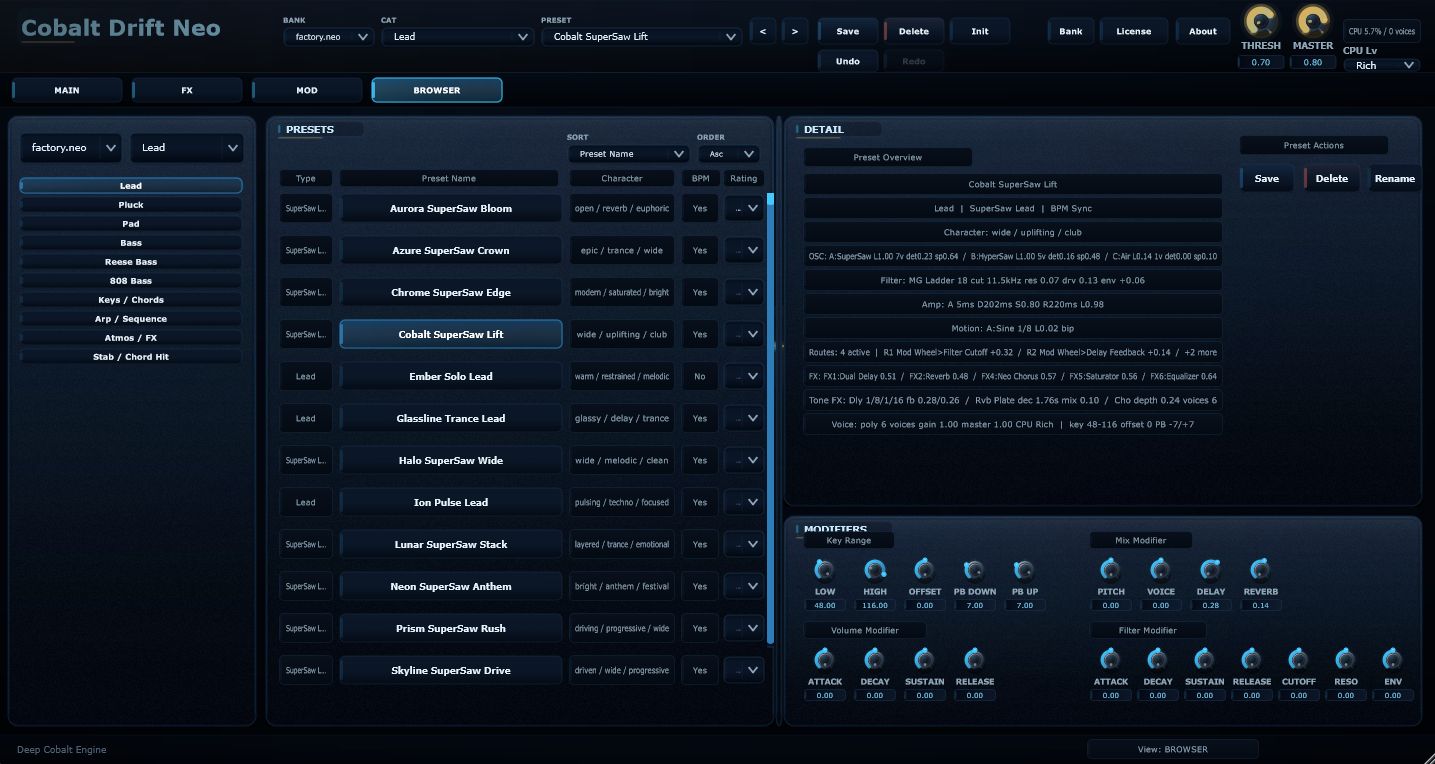
The instrument starts from Init, then grows through Factory and Lite .neo expansions. Just drag a .neo file onto the plugin GUI to add it as a bank. Use Lite sounds in heavy projects, and richer Factory sounds when density matters most.
For Electronic Music
Cobalt Drift Neo is aimed at deep progressive motion, soft melodic plucks, wide modern trance leads, darker pads, and atmospheric textures. Hybrid OSCs create the core and harmonic movement, strengthened filters control brightness and lift, and the 6-slot FX Rack shapes space and density so a sound sits in a track quickly.
Expansion Workflow
Cobalt Drift Neo launches with Init Bank and Init Preset only. Factory.neo, Factory Lite.neo, Factory 1.1.neo, and Factory Lite 1.1.neo are provided as external banks that users import when needed. Factory Lite banks are CPU-light expansions for larger projects and leaner sessions. Additional .neo expansions can also be registered as banks simply by dragging them onto the plugin GUI.
Start Quickly
Open the Download Center and get the Demo ZIP.
Choose Standalone, VST3, or CLAP.
The first launch starts from Init only.
Drag a .neo file onto the GUI to add it as a bank.